Nessuna generazione recente.
- File
-
Designs
-
-
All Categories -
Category #1 - New Category
-
My designs
-
-
Help
-
Quick help
- ctrl+a
Select all objects
ctrl+d Double the activate object
ctrl+e Clear all objects
ctrl+s Save current stage to my design
ctrl+o Open a file to import design
ctrl+p Print
ctrl++ Zoom out
ctrl+- Zoom in
ctrl+0 Reset zoom
ctrl+z Undo changes
ctrl+shift+z Redo changes
ctrl+shift+s Download current design
delete Delete the activate object
← Move the activate object to left
↑ Move the activate object to top
→ Move the activate object to right
↓ Move the activate object to bottom
shift+← Move the activate object to left 10px
shift+↑ Move the activate object to top 10px
shift+→ Move the activate object to right 10px
shift+↓ Move the activate object to bottom 10px
-
- Save Product >>
- Home
- Undo
- Redo
- << Back Website
-

-
English
-
 Italian
-
 German
-
 French
-
 Spanish
Languages
-
- Base Price
- 0.0
- Design
- Product
- Images
- Text
- AINEW
- Shapes
- Layers
- Templates
- Cliparts
Warning! If the image you uploaded comes from our template file you will still need to enlarge it to cover the whole printable area.
To avoid poor quality results please submit PNG or JPEG files with at least 150 DPI and no larger than 10MB
.
Click or drop images here
Click or drag to add text









AI Generator
Per sfruttare l'AI devi loggarti. Se non sei registrato, registrati prima.
--
Descrivi il tuo design
Idee:
Stile
Opzioni avanzate
Le tue ultime generazioni
-
Start designing by adding objects from the left side
- All selected objects are grouped | Ungroup?
- Group objects Group the position of selected objects
-
-
Fill options
Save this color
-
-
Options
-
Automatically align the position of
the active object with other objects -
ON: Keep all current objects and append the template into
OFF: Clear all objects before installing the template -
Replace the selected image object instead of creating a new one
-
- Replace image
- Crop
-
Mask
-
Select mask layer
-
-
Remove background
-
Remove background
-
Deep:
-
Mode:
-
-
Filters
-
Filters
-
- Original
- B&W
- Satya
- Doris
- Sanna
- Vintage
- Gordon
- Carl
- Shaan
- Tonny
- Peter
- Greg
- Josh
- Karen
- Melissa
- Salomon
- Sophia
- Adrian
- Roxy
- Singe
- Borg
- Ventura
- Andy
- Vivid
- Purple
- Thresh
- Aqua
- Edge wood
- Aladin
- Amber
- Anne
- Doug
- Earl
- Kevin
- Polak
- Stan
-
Brightness:
-
Saturation:
-
Contrast:
-
- Clear Filters
- Click then drag the mouse to start drawing. Ctrl+Z = undo, Ctrl+Shift+Z = redo
- QRCode text
-
Fill options
-
Fill options
Save this color
-
Transparent:
-
Stroke width:
-
Stroke color:
-
- Ungroup position
-
Arrange layers
-
Position
-
Object position
Lock object position:
-
Center vertical
-
Top left
-
Top center
-
Top right
-
Center Horizontal
-
Middle left
-
Middle center
-
Middle right
-
Press ← ↑ → ↓ to move 1 px,
Hit simultaneously SHIFT key to move 10px -
Bottom left
-
Bottom center
-
Bottom right
-
-
Transforms
-
Rotate:
-
Skew X:
-
Skew Y:
-
Flip X:
Flip Y:
Free transform by press SHIFT+⤡
-
-
Font family
-
Edit text
-
Edit text
-
-
Font size:
-
Letter spacing
-
Line height
-
-
Text Effects
-
Text effects
-
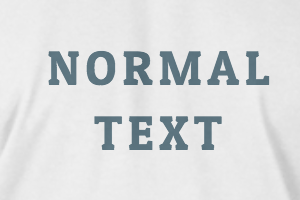
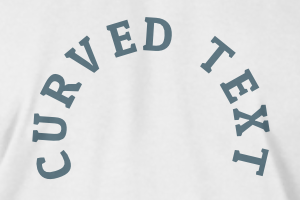
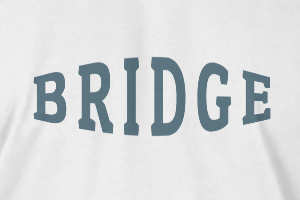
-
Radius
-
Spacing
-
Curve
-
Height
-
Offset
-
Trident
-
-
Text align
- Uppercase / Lowercase
- Font weight bold
- Text style italic
- Text underline
Scroll to zoom